 See AzureLabel in action – from simple printing to automation
Great customization and data input and fetch options. However, the one option I hope was there is to filter a single or range of labels to print. Overall best label designer and printer.
Mohammad Farhan

AzureLabel is a free and easy-to-use label creation and printing software.
Barcode generator, data from Excel, Google Sheets, CSV files, databases, POS systems, APIs, and other sources on your labels, PDF/image export, automatic printing, Print Server, REST API, and much more.
Easily expands to Pro capabilities if the free ones are not enough.
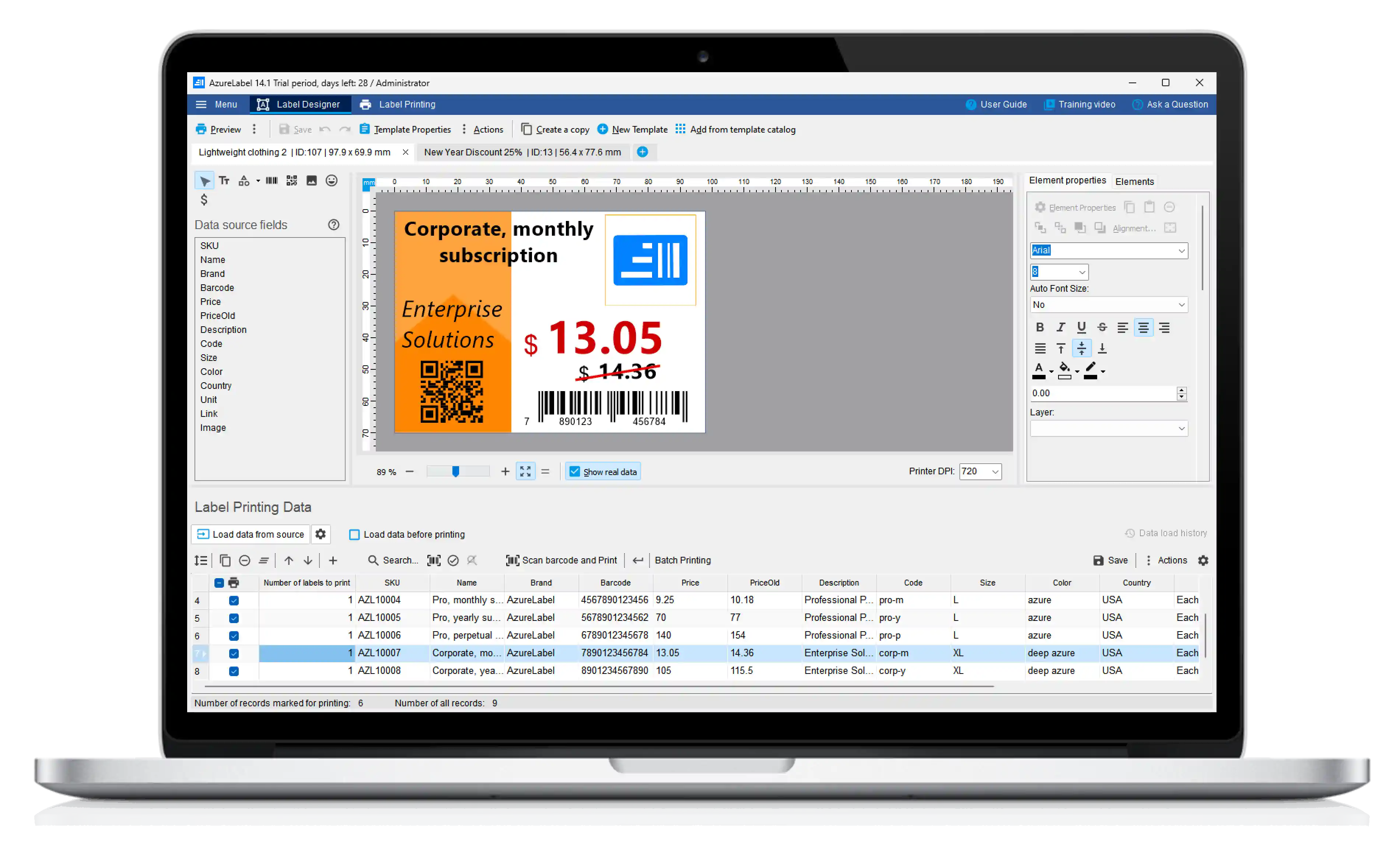

Connect product data from Excel, Google Sheets, CSV files, databases, POS systems, and APIs.

Start with ready-made label templates or create reusable labels with text, barcodes, images, prices, SKUs, serial numbers, and dynamic data.

Print labels manually or automate label workflows using batch printing, Print Server, REST API, file triggers, POS integrations, and CLI tools.
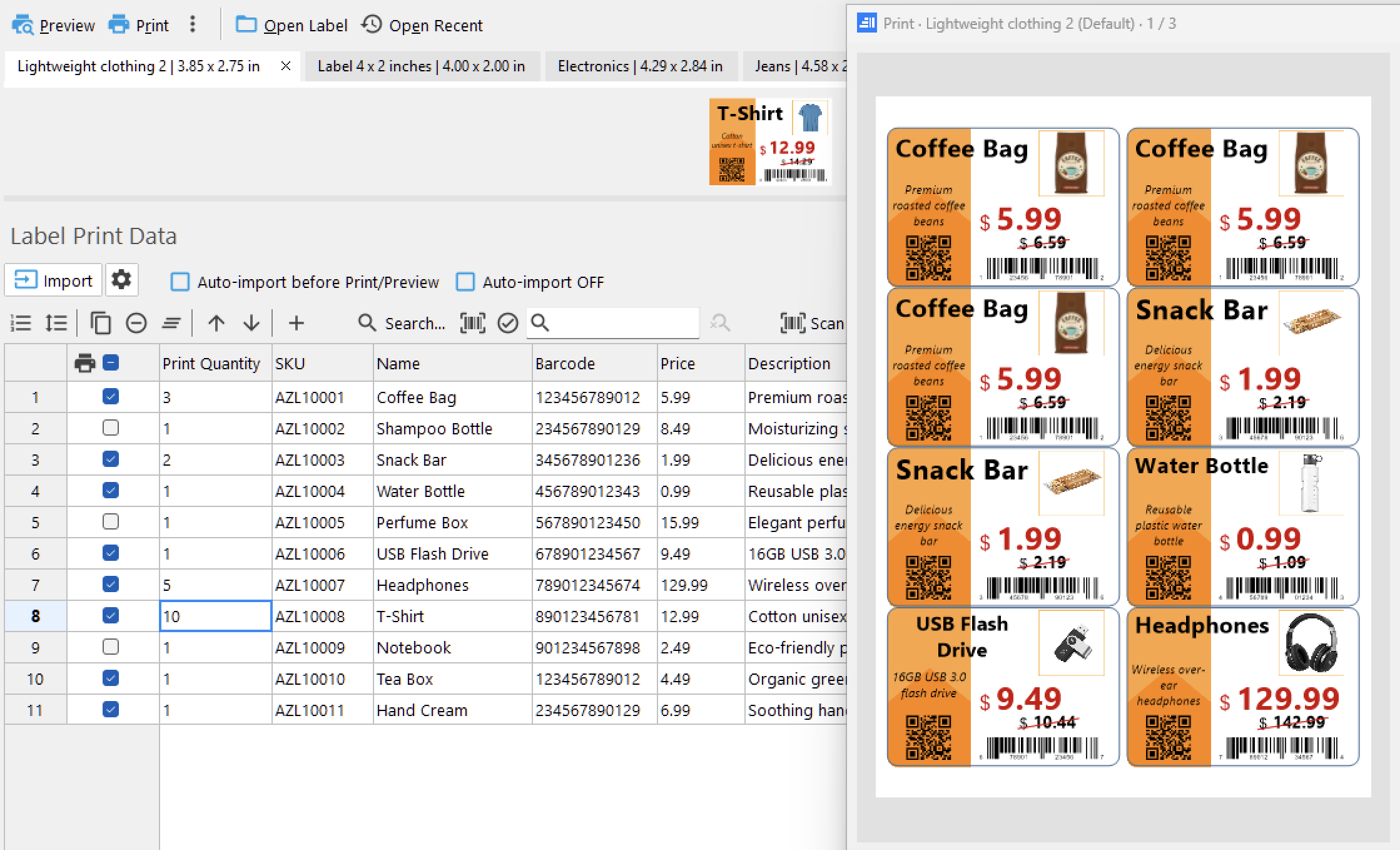
Reuse the same label design with different products, prices, barcodes, SKUs, serial numbers, and other product data.
Connect spreadsheets, databases, POS systems, or APIs and print labels using your existing business data.
Review, edit, filter, and update imported data directly inside AzureLabel before printing.
Supported data sources:
Excel • Google Sheets • CSV • JSON • SQL databases • POS systems • APIs
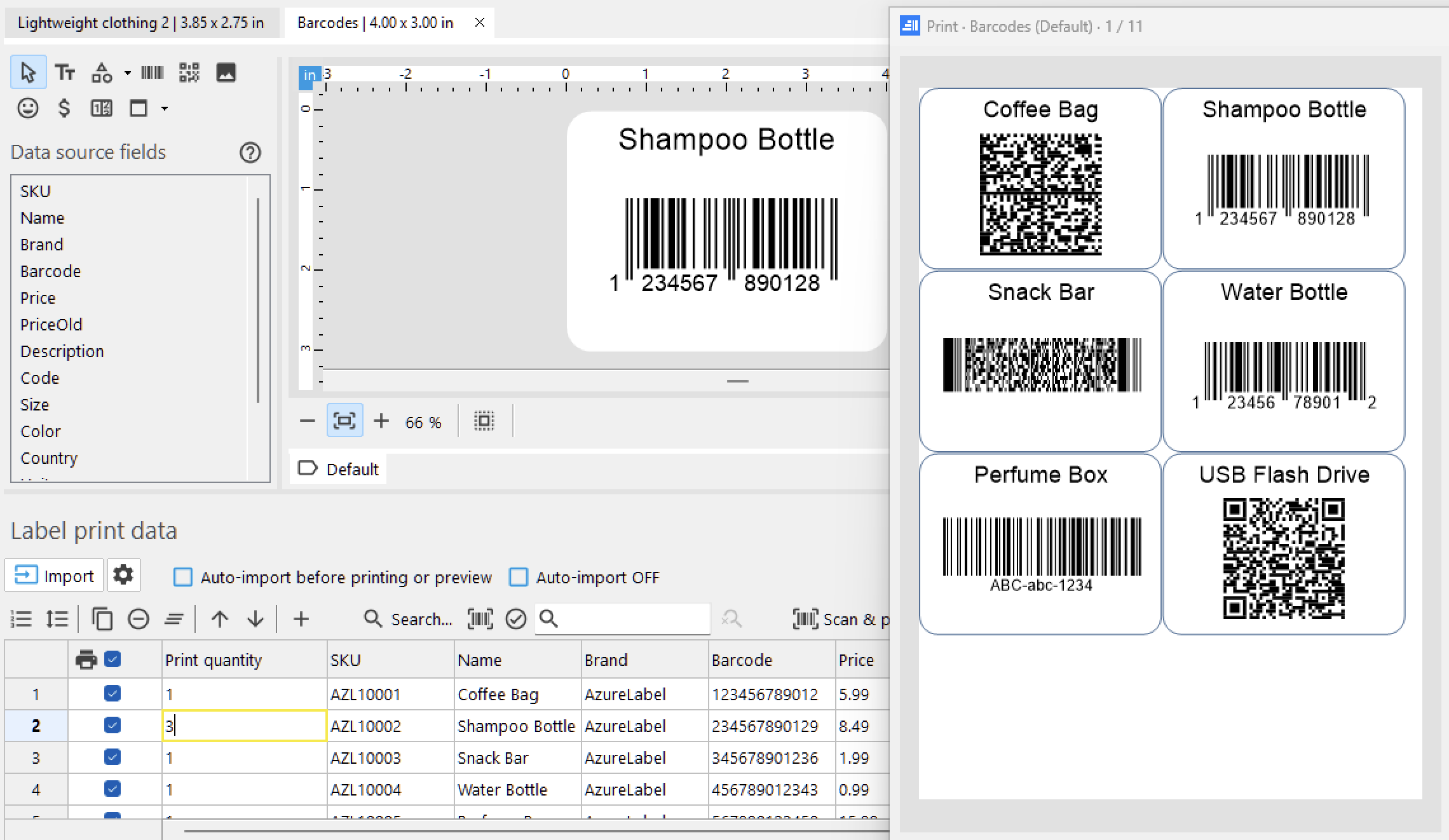
Generate and print barcode and QR code labels with support for GS1, UPC, EAN, Data Matrix, QR Code, PDF417, Aztec, and many other barcode types.
Automatically change barcode types and values based on your data or printing conditions.
Create barcode labels for products, inventory, packaging, shipping, retail, and other business workflows.
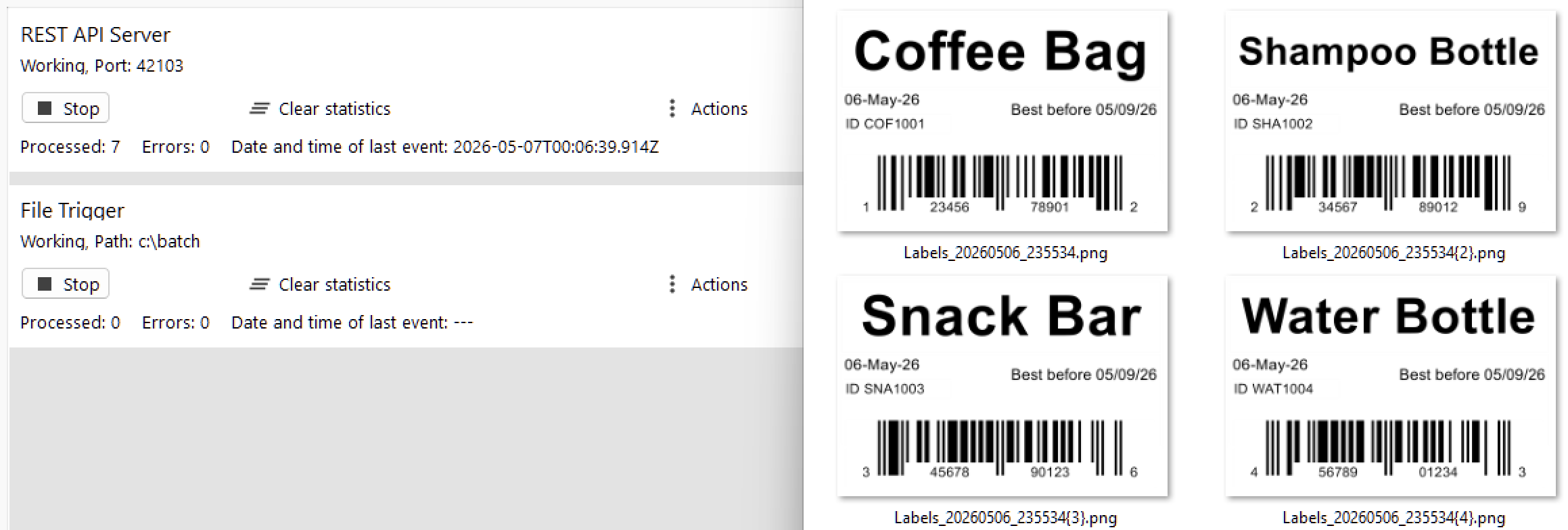
Print labels from Excel files, databases, websites, POS systems, or your own applications.
Use batch printing, REST API, Print Server, or command-line tools to automate label printing workflows when needed.
Automatically print labels when Excel, CSV, JSON, or other files are added or updated, or when data changes.
REST API • Print Server • CLI • Batch printing • File Trigger • Data Change Trigger
Print directly or save labels as PDF, images, PRN files, or AzureLabel Print Jobs for later printing, sharing, or use on another computer.
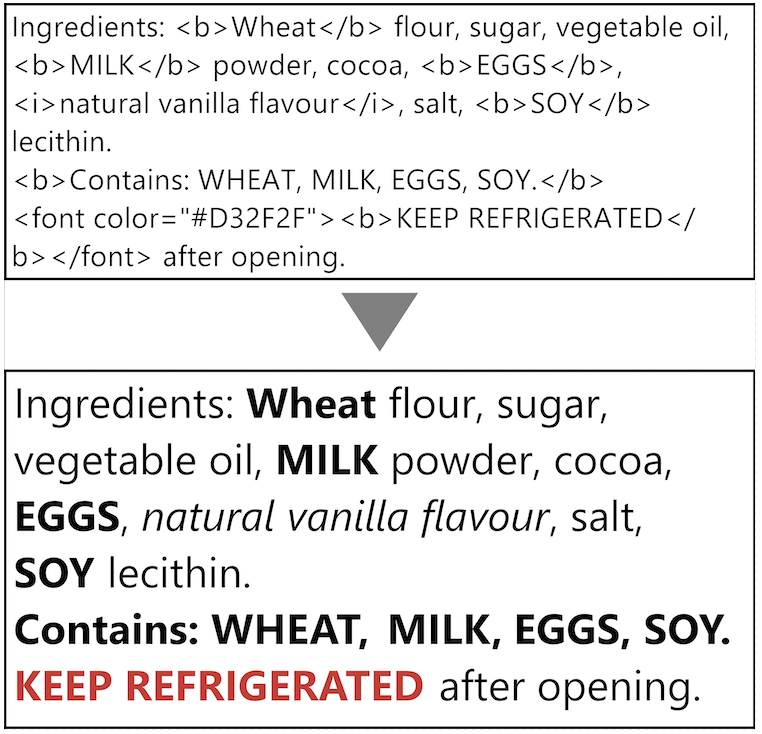
Style individual parts of text using inline tags such as <b>, <i>, <u>, <s>, and <font color="...">, or import formatted text directly from Excel. Text retains the same wrapping, layout, and automatic font size adjustment as regular text.
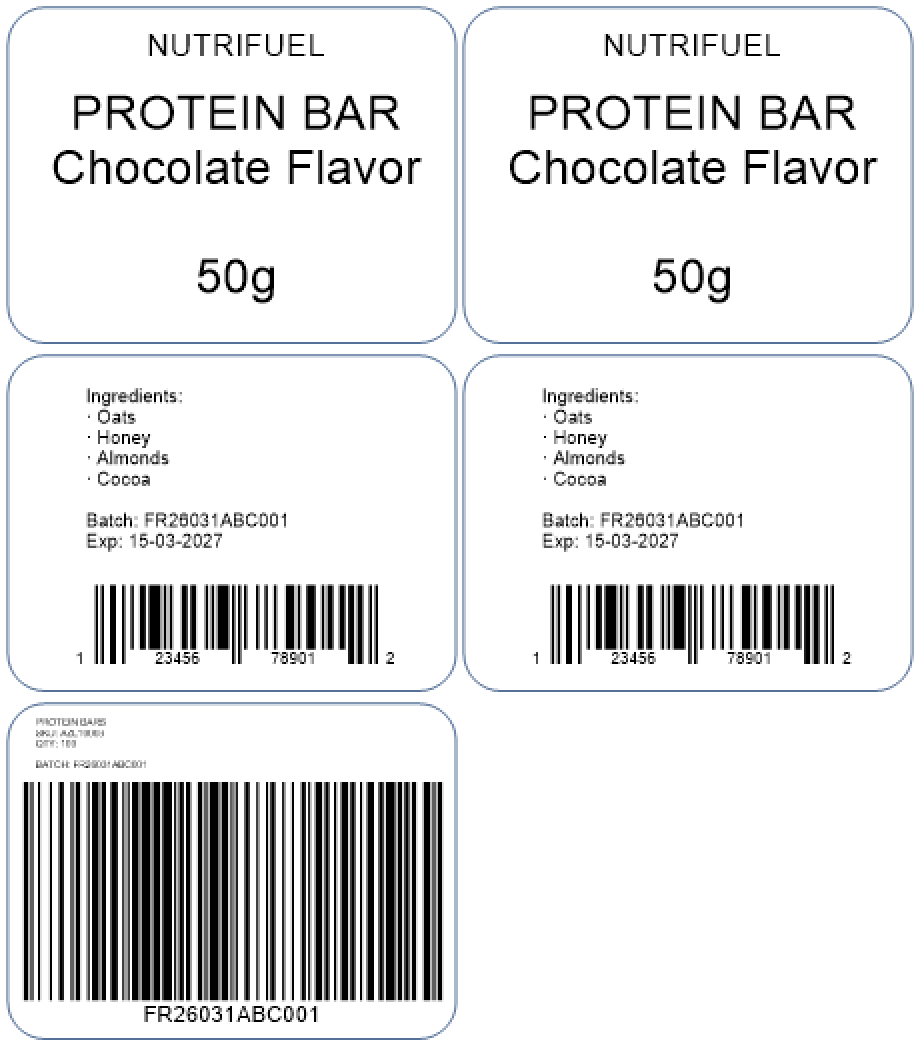
Create multiple design variations within a single label – such as front, back, and box labels – all sharing the same product data and printable together. Simple, efficient, and perfect for real-world packaging needs.

AzureLabel remembers serial numbers across print jobs, sessions, and computers, helping prevent duplicates.
Use separate counters for text, barcodes, cartons, pallets, or other label elements, each with its own rules.
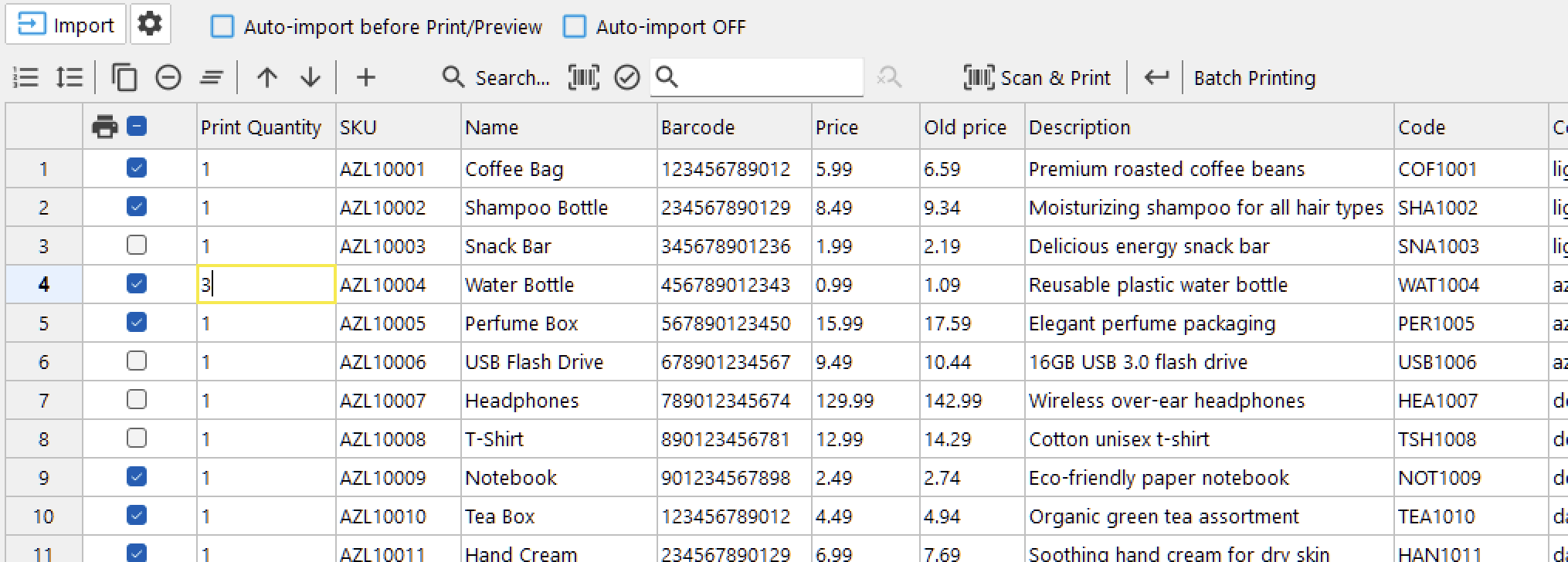
Store product names, prices, barcodes, and other values directly inside AzureLabel.
Use separate data tables for individual labels or shared product data across multiple label files.
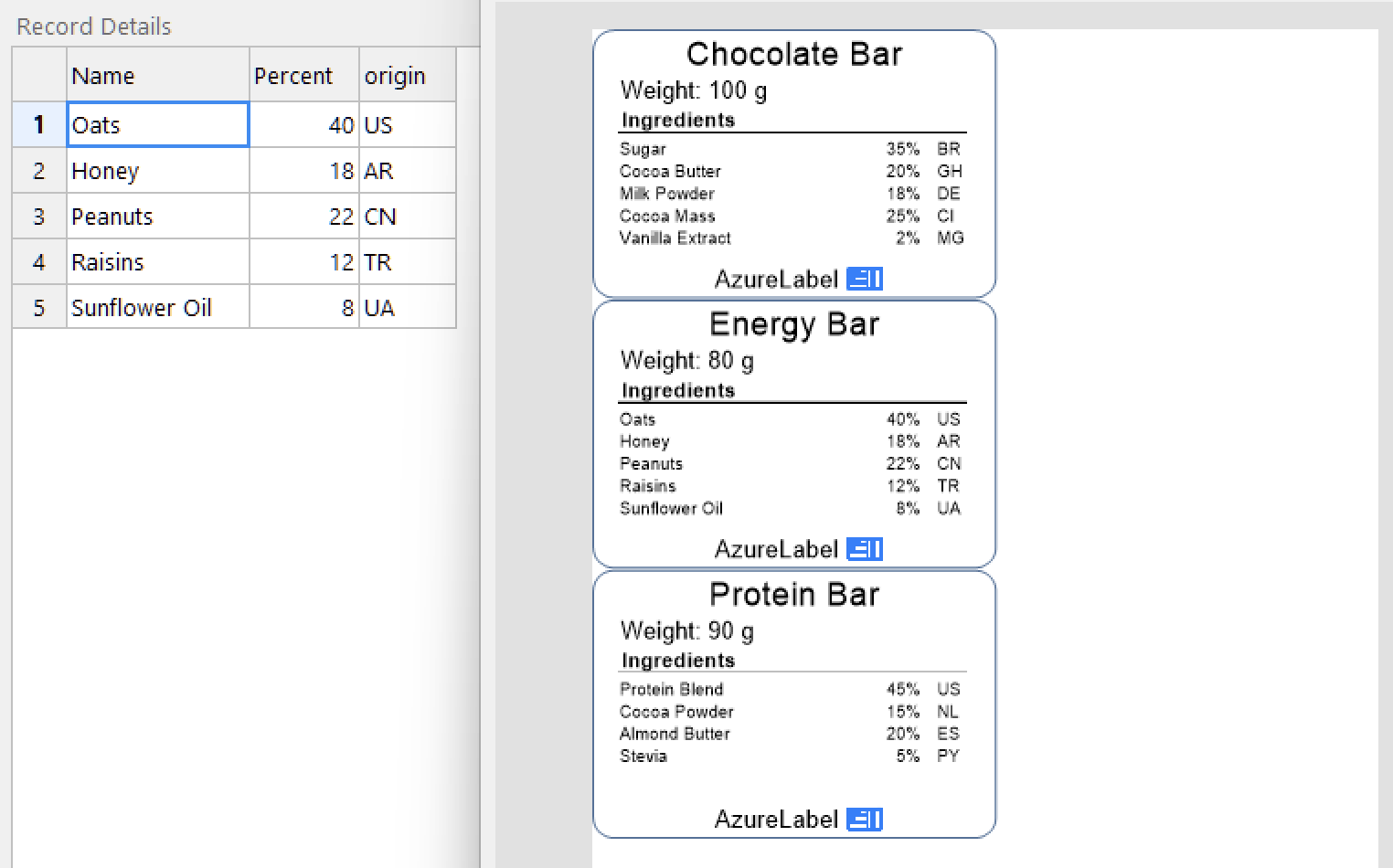
Attach grouped data such as ingredients, specifications, seed varieties, components, or parts lists to each product record and print that data automatically on labels.
Useful for ingredient labels, seed tags, mix labels, kit labels, and products that require multiple related rows of information.
Record details are also supported in the REST API for automated label printing workflows.
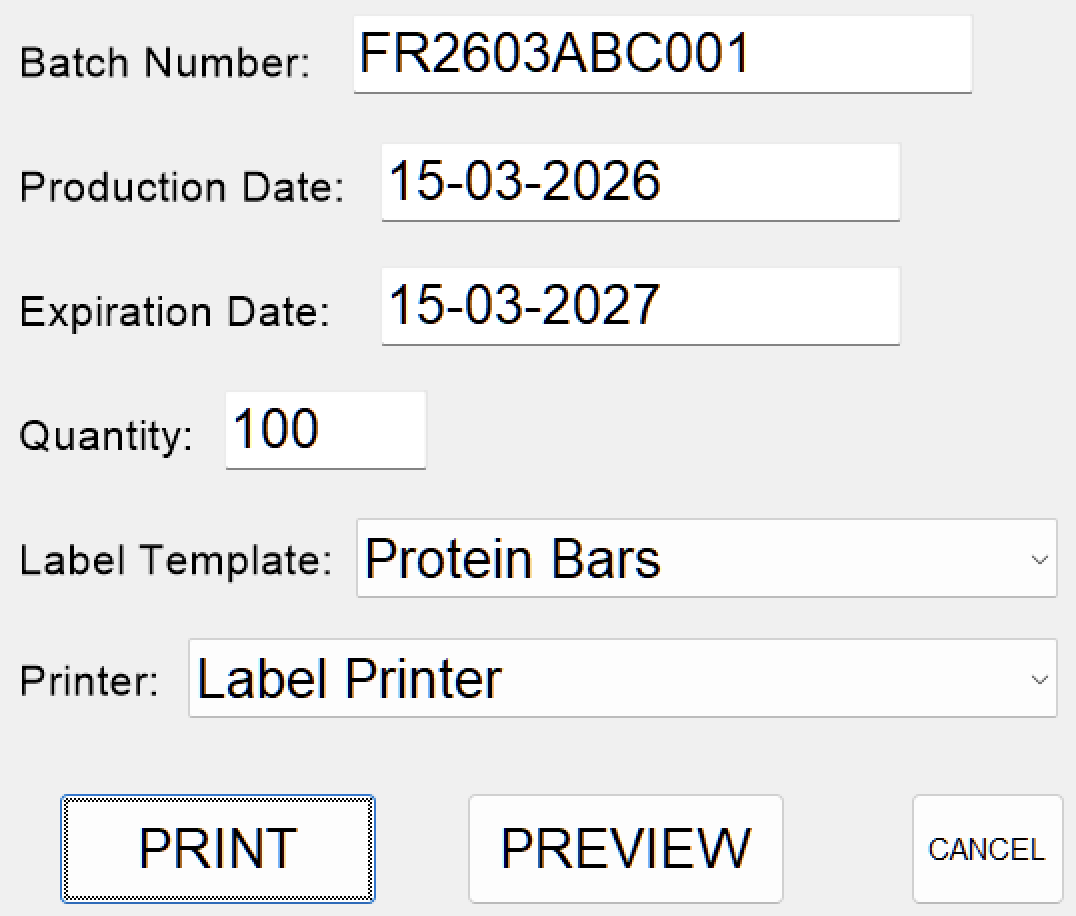
Create custom forms that users fill out before printing labels.
Use forms to collect batch numbers, dates, quantities, label choices, or other values that are not stored in your data source.
Forms can appear before printing, run as standalone tools, or trigger custom workflow actions.
Control which label templates and designs to print, how many copies to print, which printers to use, and where to save the output files – all directly from your data source.

Use Meta labels to print multiple label designs from a single print action.
Define which labels to print, how many copies to create, what data to use, and which printers to send them to. For example, print one box label followed by all product labels automatically.
Build rules visually or customize the logic with JavaScript.

AzureLabel keeps a detailed history of print jobs, so you can review what was printed and reprint labels when needed.
Useful for repeat orders, corrections, audits, and production workflows.
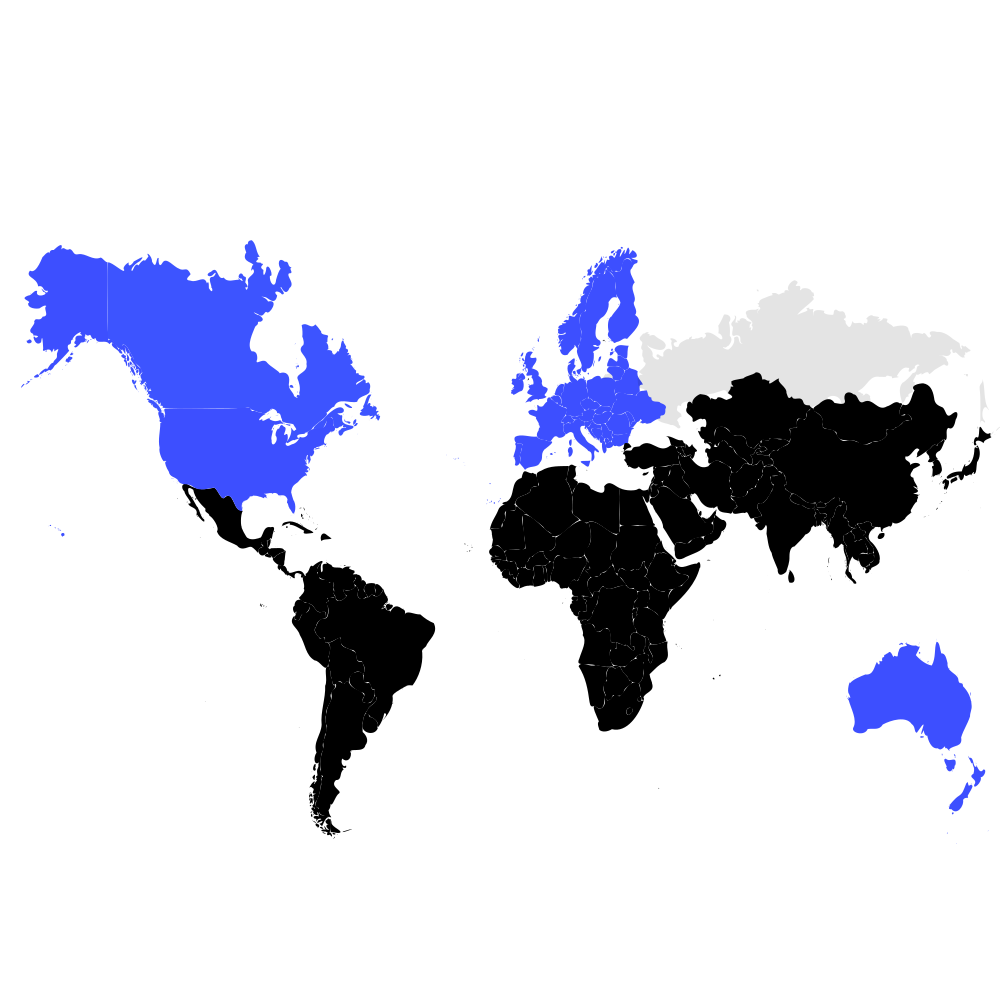
For over a decade, businesses of all sizes have trusted AzureLabel for reliable, professional label printing.
From everyday tasks to advanced automation, AzureLabel has built its reputation on stability, continuous improvement, and responsive support.
AzureLabel is continuously improved with regular releases based on customer feedback and real-world business needs.

“The REST API is a great advantage because we have internal applications that utilize it to print custom labels with ever changing data.”
Use AzureLabel for free to design and print labels. If you need Pro features, start a free 30-day trial. No credit card required.
Print barcode labels, price tags, shipping labels, inventory labels, and more on thermal label printers, inkjet printers, laser printers, and any other Windows-supported printers.
Print on self-adhesive label sheets and choose where on the sheet to start printing. AzureLabel includes 3,000 predefined label layouts for Avery, HERMA, Brady, SATO, APLI, Lomond, and other label brands.
Print different label designs, each with its own data, to different printers with one click.

Use a single label design to print labels in different sizes and on different printers. Adjust the label size when printing without changing the original design, and easily return to its original size.

Use formulas or JavaScript to calculate values, transform data, and format dates,
numbers, and text in your labels or while importing data.
Use JavaScript for more advanced logic and automation in Tasks.
Automatically adjust the font size to fit long text within the available space on your labels, keeping the full text visible.

Display dynamic images on your labels from your computer, network, the Internet, or
binary fields in your data source.
Image locations can be fixed or provided dynamically by a data field.
You can also store static images directly in your label design.

Use variables and data fields in your label design to dynamically change text, barcodes, images, and other label content.

Create one label design and use it to print different-looking labels based on your data or specified conditions. Show or hide elements automatically—for example, display promotional information and discounted prices only for products that are on sale.
Position label elements relative to each other so the layout automatically adapts when text or other content changes size. For example, keep the cents correctly positioned when the number of digits in a price changes.

Reduce visible white edges when printing and trimming full-color labels or packaging.

Use product data from POS systems such as Epos Now, QuickBooks POS, and Loyverse POS to print price tags, barcode labels, and other product labels. Depending on your POS system, data can be imported or accessed through an integration.

User interface available in English, French, German, Portuguese, Russian, Spanish, and Ukrainian.
Our customers love AzureLabel
Great customization and data input and fetch options. However, the one option I hope was there is to filter a single or range of labels to print. Overall best label designer and printer.
I have been a reseller of POS systems for more than 15 years. I stumbled upon AzureLabel last year and i could not be happier with the discovery. The software alone is extremely well thought out and very functional, add the amazing price point and we what we have is a label solution that we now promote to all our customers. The support is amazing so I have no issues in recommending this product to anyone looking at a label solution.
Having used other produces and tested several others, Azure Label is proving to be a great solution. The best part is the responsiveness of support. The software has a clean appearance, familiar layout, and lots of flexibility.
After scouring the internet for an application flexible enough to do the very simple tasks we need here, we finally found AzureLabel. Thank you!
The built-in database system is perfect for my needs as a small business. I can use csv files to sync my catalog information to my barcodes easily. The templating engine works great too.
Super efficient! Great upgrade for our stores!
IT WORKS PERFECTLY, VERY USEFUL. THANK YOU
We're happy to help with setup, workflows, and automation.